
Introduction
1. User Payment Process Explanation with TENN Bank
1.1 User Registration/Login
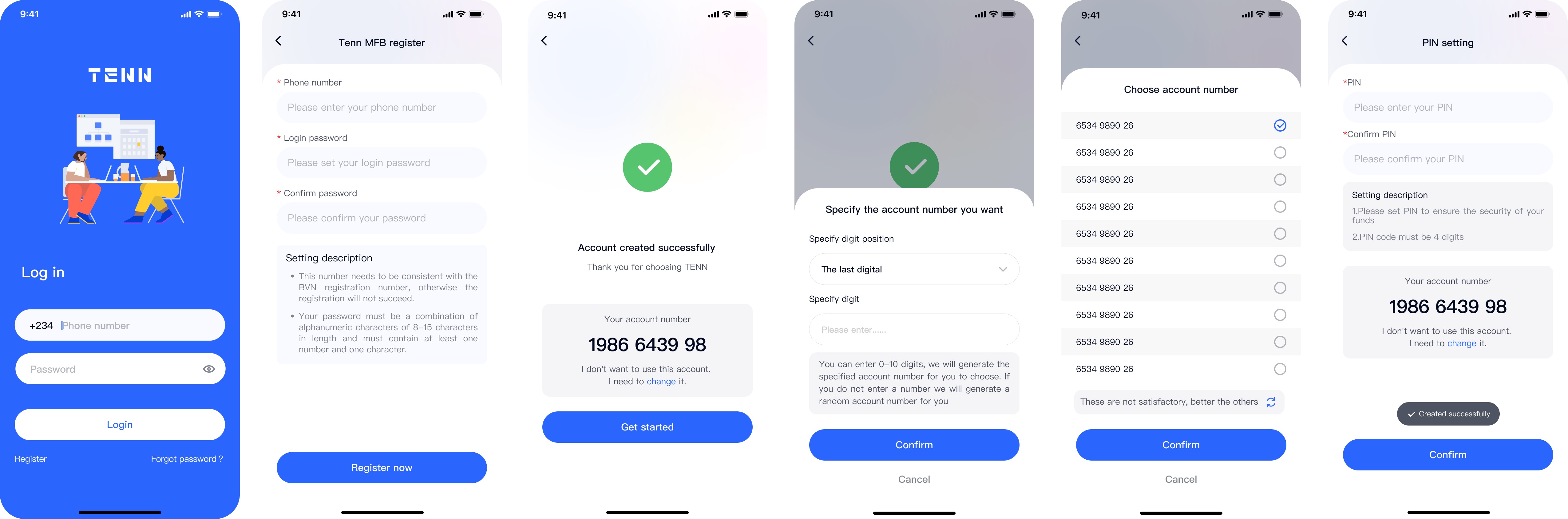
After initiating a payment, if the end customers are using TENN Bank for the first time, they need to complete the login process, including registration if they don't have a TENN account. After the initial login, their login information is automatically retained for 7 days. Within this time period, subsequent TENN Bank payments can be made without login again. Each login action extends the login retention period by an additional 7 days. For non-first-time logins, the system checks customers' login authentication information. If it is valid, customers will be proceeded to the payment page. If the login authentication information has expired, the user is prompted to login again.
1.2 Payment Process
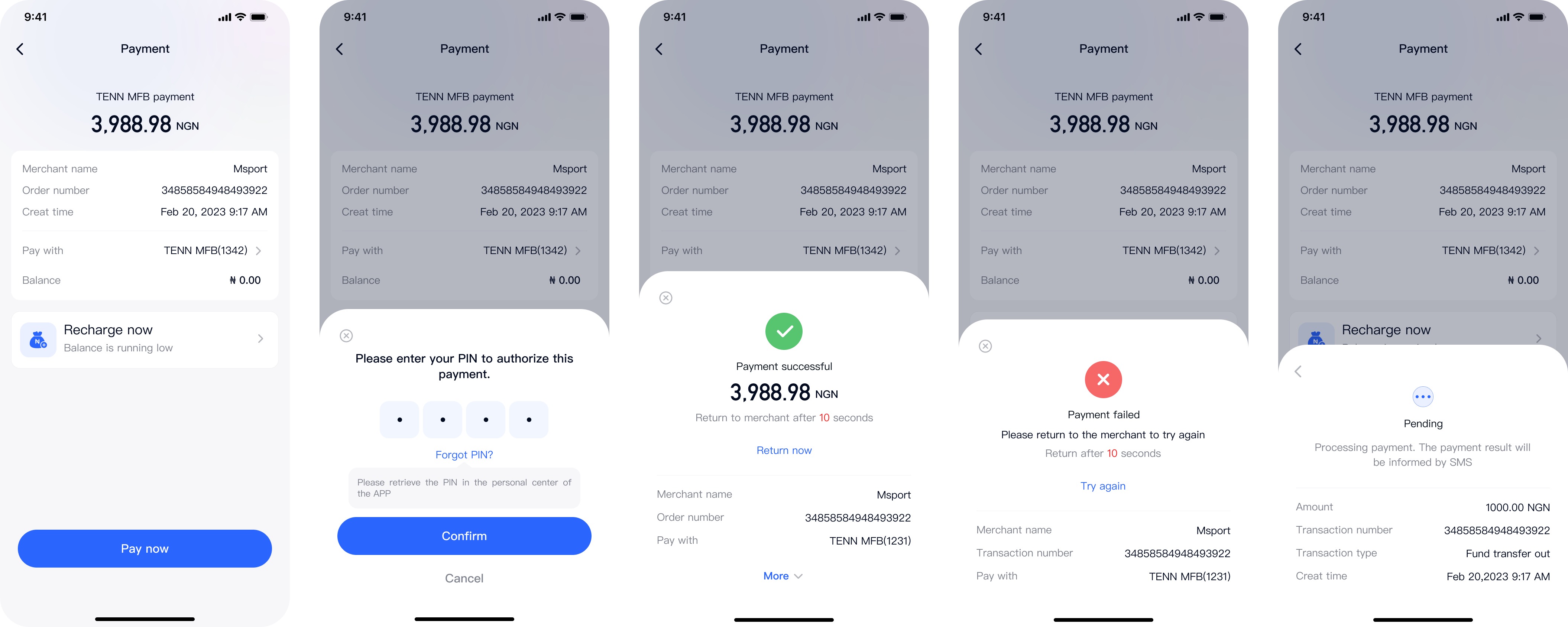
After completing the payment on the TENN Bank platform, if the customers' balances are insufficient, they can initiate the recharge process. For amounts less than or equal to N5000, PIN-based authentication is required. For amounts exceeding N5000, both PIN and OTP-based authentication are necessary. Upon successful payment authorization, the customers are redirected back to the payment page.
1.3 Insufficient Balance Notification
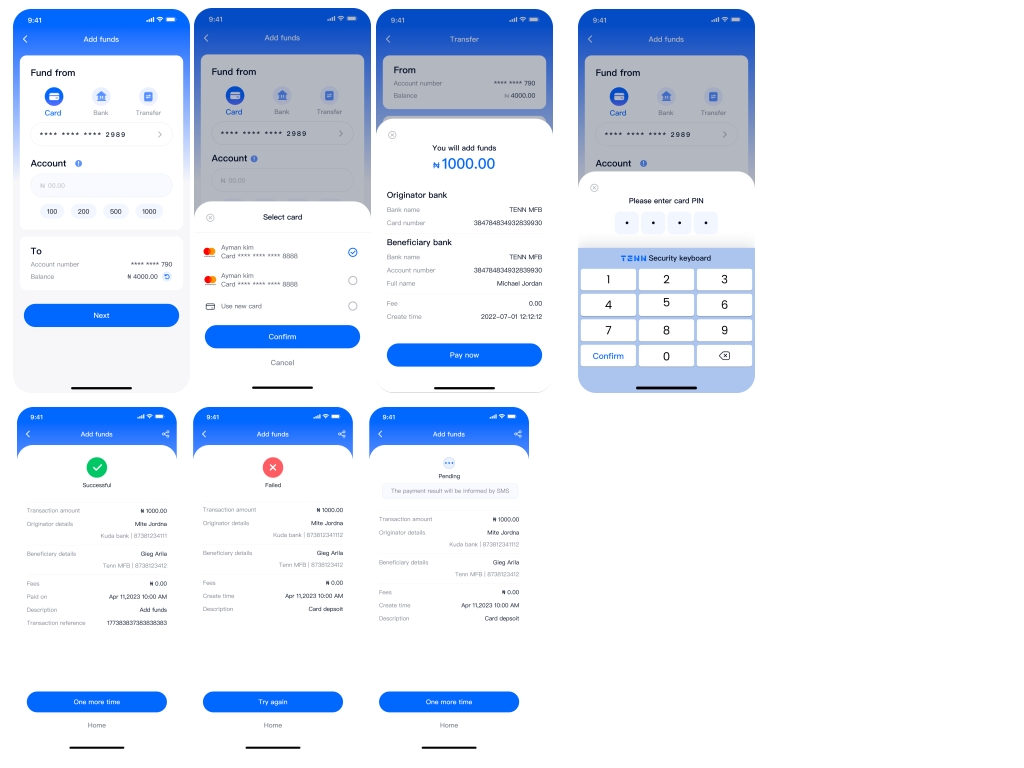
During a payment transaction, if your account balance is found to be insufficient, you will receive a notification. In such cases, you can easily recharge your account to proceed with the payment.
2. Payment API
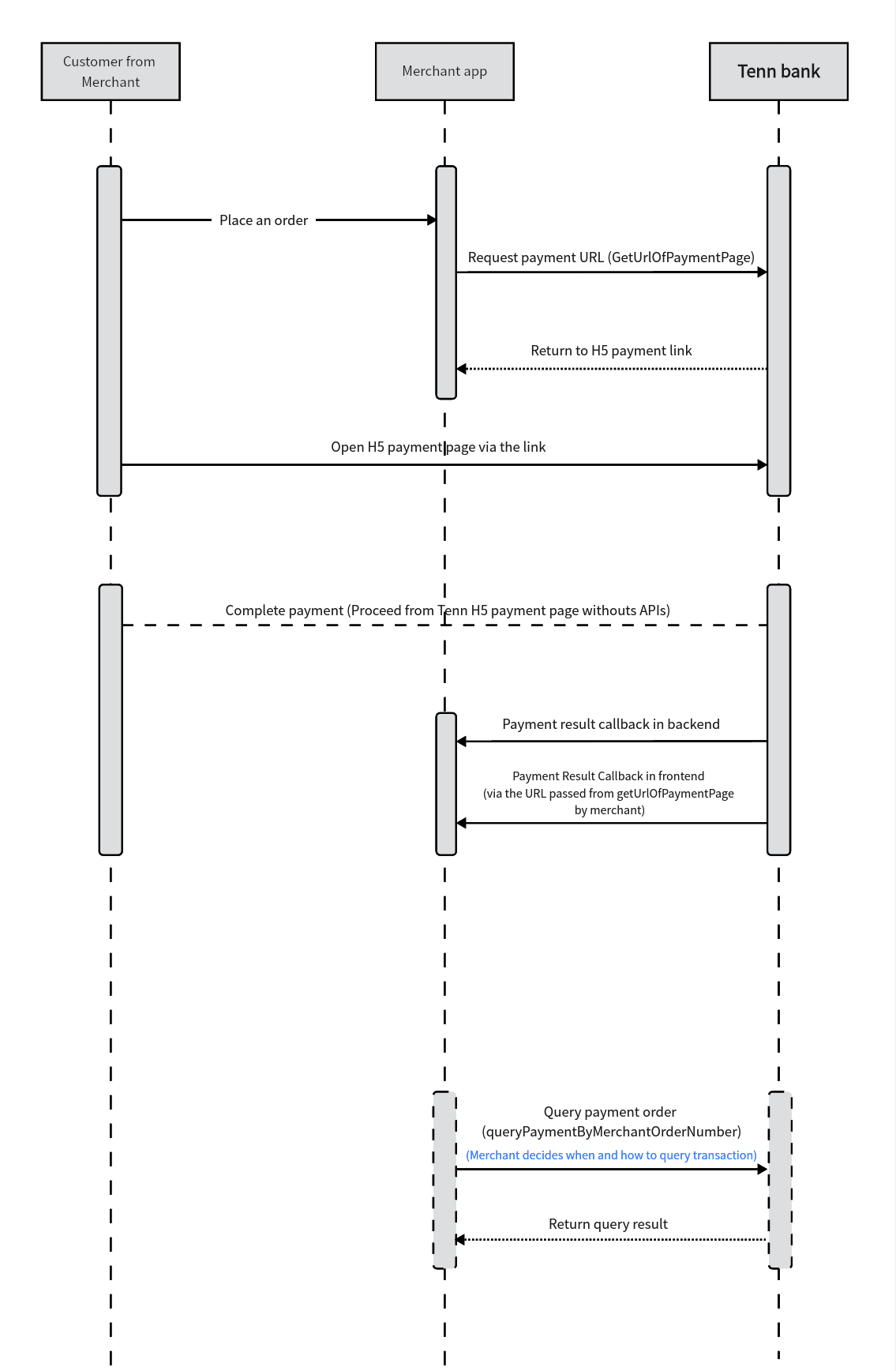
2.1 Process Explanation
-
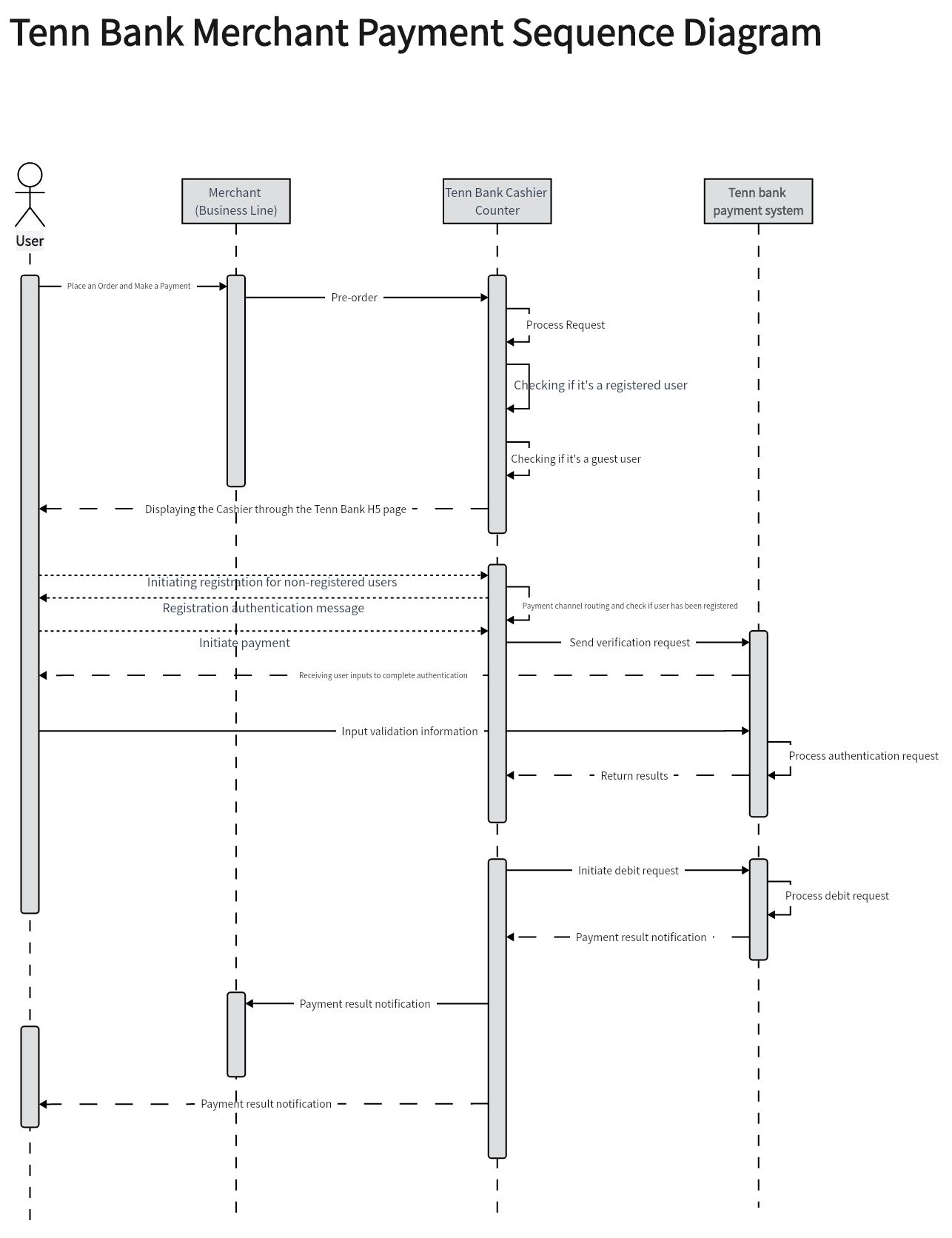
Users place an order within the merchant's app.
-
The merchant's app calls TENN SDK API
paymentBean.getUrlOfPaymentPageto retrieve the URL for TENN H5 payment page. The merchant's app should open the URL to let the customer to initiate the payment process. -
Users log in to TENN (registration required for new users) if not logged in.
-
Users complete the payment process in TENN payment page and return to the merchant's app.
-
The merchant is notified with the payment result.
-
The merchant queries payment information by the API of TENN SDK at its need. Both failed or successful payments are support for querying.
2.2 Integration Preparation
Merchants need to set up their accounts on the TENN operations portal, configure basic information, select payment products, obtain their merchant key and code, and set up their merchant webhook URL.
Upon successful registration of merchant information with TENN, an email will be sent to the registered email address containing public and private keys. These keys should be configured when using TENN's SDK.